
Before you start
You’ll need:- Langflow. Install Langflow Desktop
- A model provider (from OpenAI, Anthropic, OpenRouter, etc)
- A Dataville API key for regular use. You can try the example without one, then get a key from the API Keys page when you’re ready.
Step 1: Connect Dataville to Langflow
1
Create a flow
Open Langflow and create a new flow. For this example, we’ll start from the Simple Agent template.
2
Configure agent
The template includes Web Search and URL tools. Remove them for this example so the agent gets its source material through Dataville. Keep Chat Input connected to the Agent, and the Agent’s response connected to Chat Output. Choose your model and add its provider key. The run in this guide used Claude Opus 4.7 through OpenRouter. You can use another tool-calling model supported by Langflow, but the wording and tool choices may differ.
3
Add MCP Server
Open MCP in the left sidebar and click Add MCP Server. Select Streamable HTTP/SSE and enter the connection details:
 Click Add Server. The Connect an AI tool page is the setup reference if you need to check the configuration later.
Select Streamable HTTP/SSE and enter the connection details:Replace
YOUR_API_KEY with your Dataville key, or leave out the header to try anonymous access.Click Add Server. The Connect an AI tool page is the setup reference if you need to check the configuration later.Step 2: Give the agent access to Dataville tools
1
Import MCP Server
Drag the server from the MCP sidebar onto the canvas. Langflow adds an MCP Tools component for that server.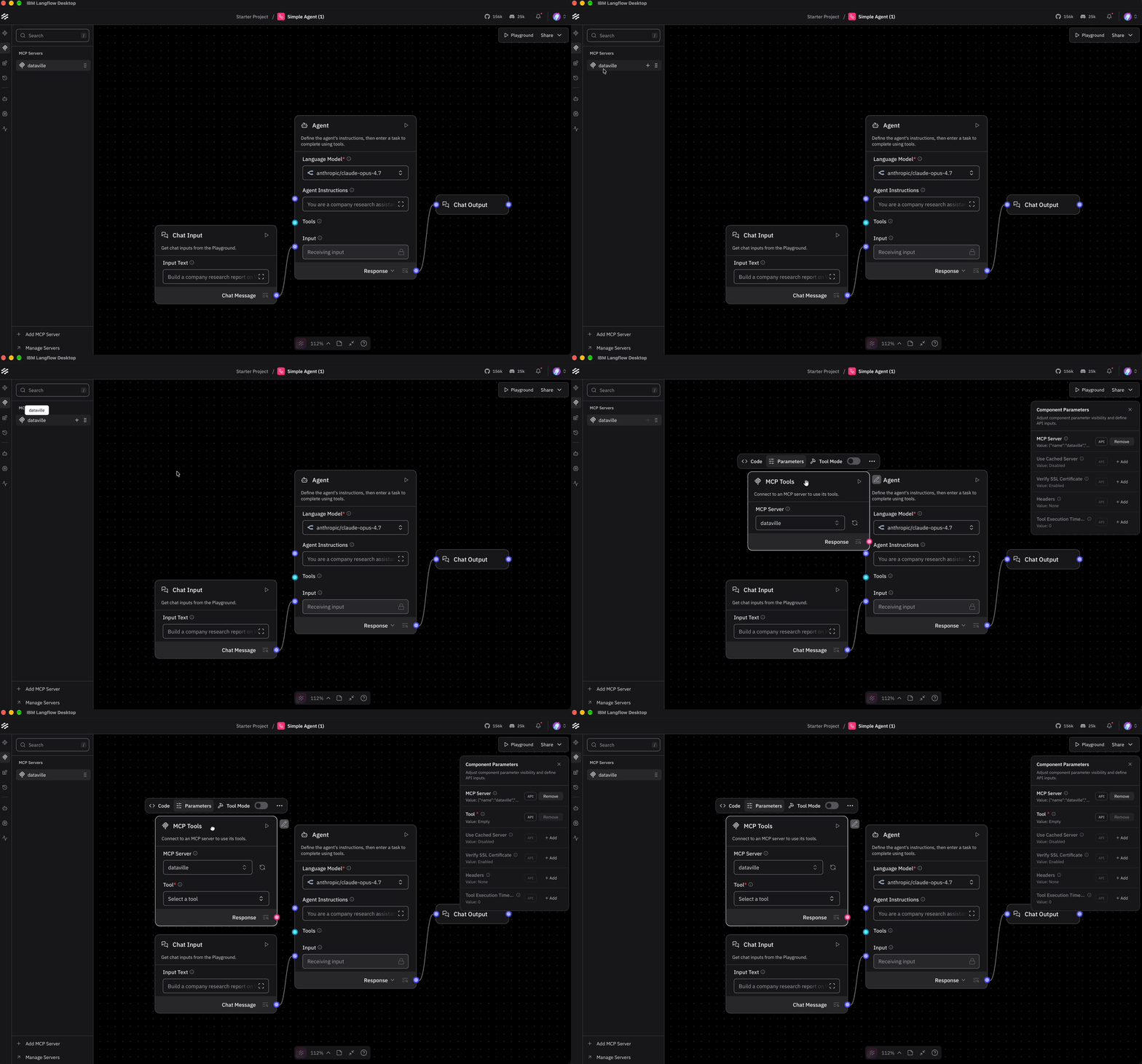
2
Enable Tool Mode
Select the component and turn on Tool Mode in its header menu. The component exposes a Toolset output, which you connect to the Tools input on the Agent. The connection makes the tools available to the agent.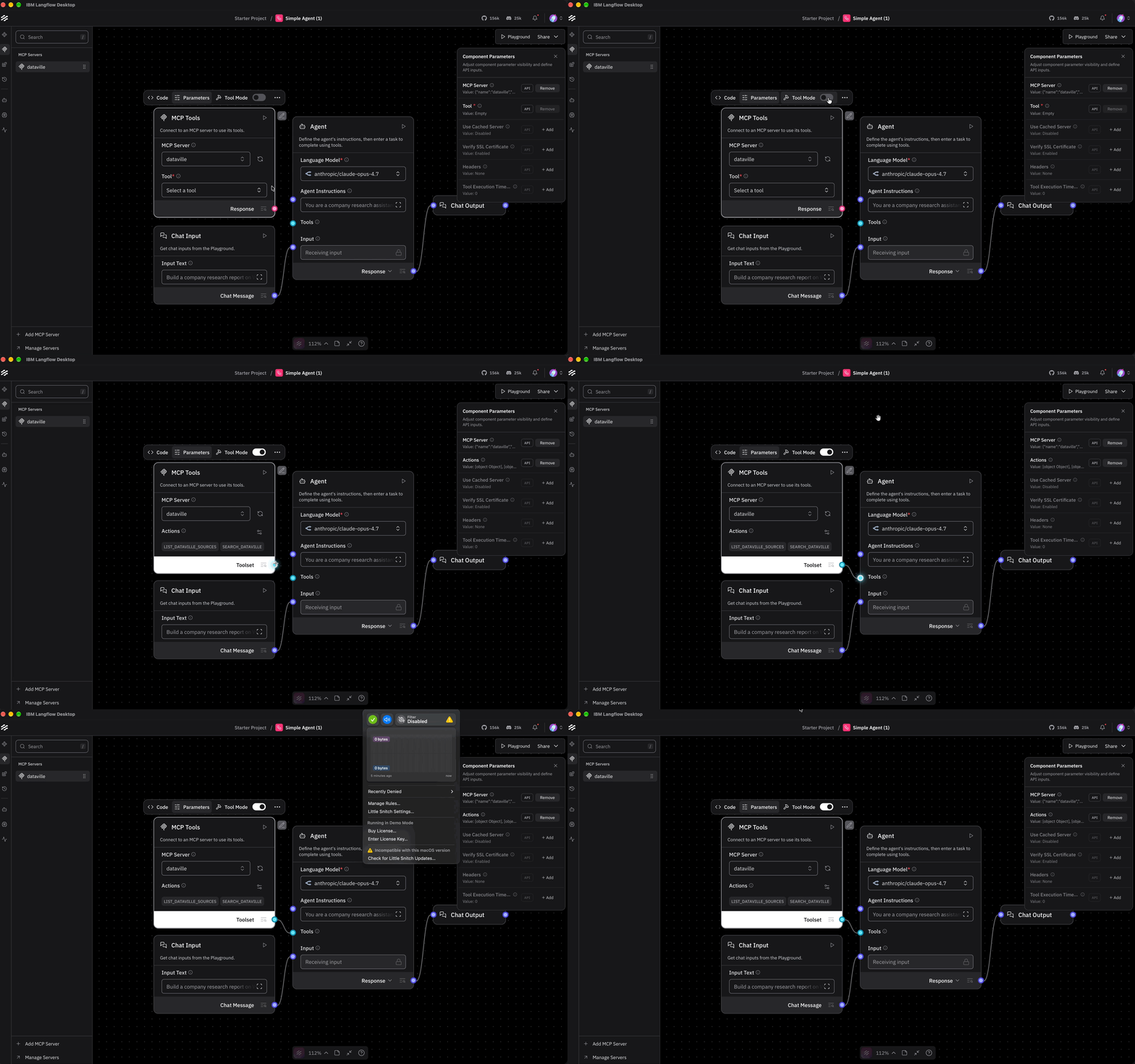
3
Add Agent Instructions
Agent instructions help tell the model when to use them and what to return. For this example, we want Wikipedia background kept separate from SEC-reported financials, with a citation for each section.Paste these instructions into Agent Instructions:The 10-K response used in this example also contains recent filings and insider transactions, so the agent doesn’t need a Form 4 lookup. It still searches for the 10-Q to get the interim financials. The insider activity in the report comes from the
insider_transactions field in the lookup’s metadata.Step 3: Run the company research agent
1
Generate report
Open the Playground and send this prompt:The chat history shows the agent calling Dataville for the source material.
2
Check the tool calls
If you click on one of the agent tool calls, you can inspect the arguments used for the query. In this instance the agent searched for  To learn more about the JSON response, including the metadata each source returns, see Response format.
Walmart 10-K in the edgar data source.To learn more about the JSON response, including the metadata each source returns, see Response format.3
Check the report
The report includes a company snapshot, financials, recent filings, insider activity, and Wikipedia context. Each section cites the source, date, and URL from the result. To validate the report, follow the citations provided by the agent and confirm the numbers found in the SEC filings match up with the information in the report.
Get the Langflow example project
Thedatavilleorg/langflow-company-research repository contains the flow, agent instructions, and sample output. Add the hosted MCP server, import the flow, choose your model, and run the company prompt.
Clone the repo and run the flow.