
Choosing a plan
Every plan includes every data source, exports, SQL queries, connected sheets, and the MCP server. Pro has lower per-request rates.
You can change or cancel your plan at any time on the Billing page. Changes take effect immediately: your balance is set to the new plan’s monthly grant and a new billing period starts. Unused time on a paid plan is credited toward your next invoice. Canceling moves you to the Free plan.
Paying for requests
Each request deducts a per-request rate from your balance. The rate depends on the source and your plan: Wikipedia is a premium source and costs more than the rest of the catalog, which shares a single standard rate. You can see the rate for every source on the Data Library page.
What counts as one request depends on the endpoint:
- A data lookup, a search from the MCP server, and an export download each count as one request at the source’s rate. See Search a data source and Download one source as CSV or Parquet. Fetching a Wikipedia article by URL is charged at the Wikipedia rate. See Fetch an article by pasting its URL.
- Whole-catalog downloads (
dataville.db,dataville.csv.zip, anddataville.parquet.zip) count as one standard-rate request. - SQL queries through
POST /api/v1/queryare charged one standard-rate request per row returned, whatever source the rows come from. A query that returns 1,000 rows costs the same as 1,000 lookups, so useLIMIT. - Connected-sheet queries and searches are not charged.
Checking your balance
The Billing page shows your remaining credit and when it resets, your top-off balance, and usage broken down by source.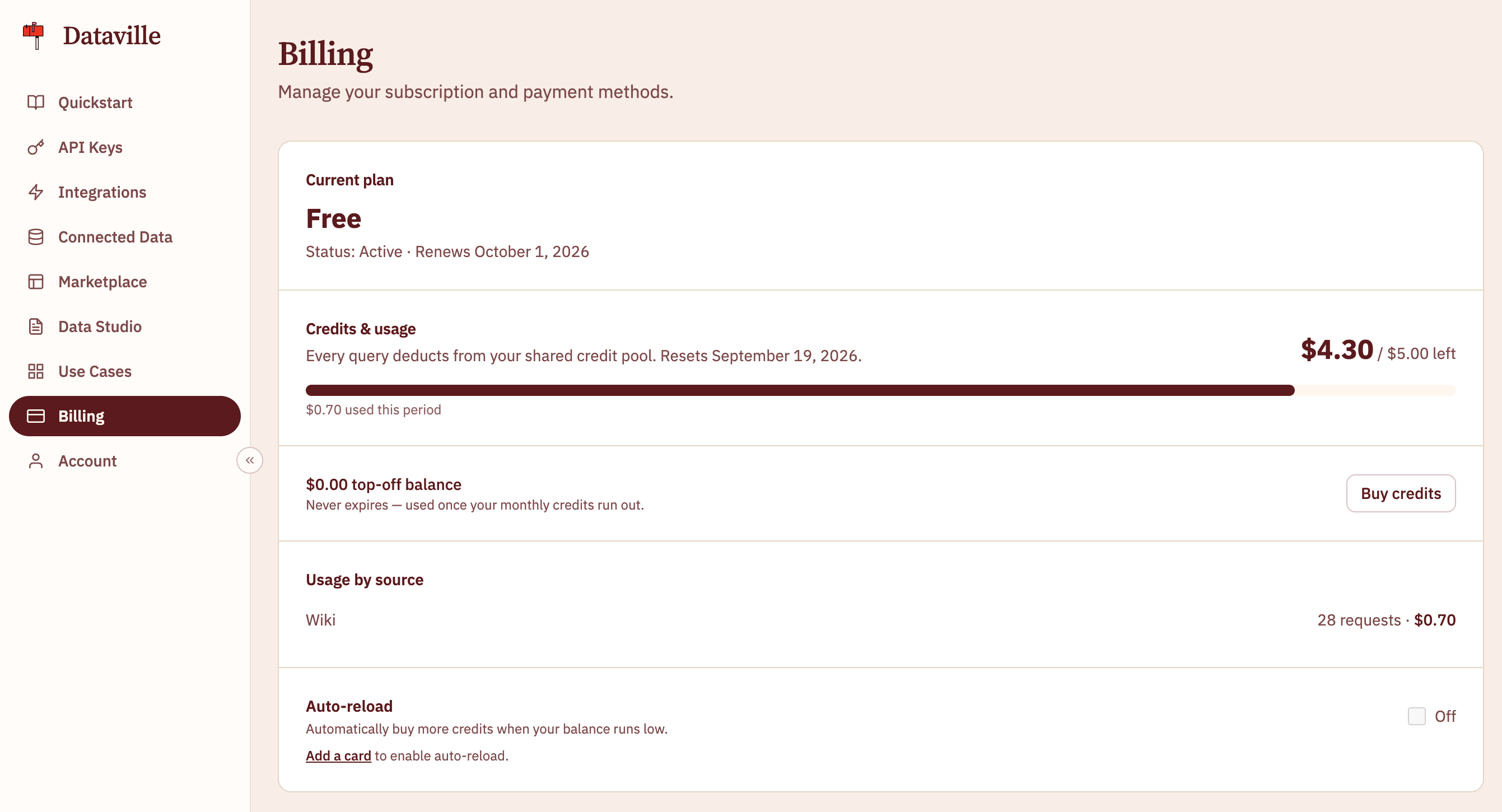
X-Credit-Cost and X-Credits-Remaining headers, in USD, and a usage object in the body.
Buying more credits
You can buy credits on the Billing page in any amount from $5 to $500. Top-off credits never expire. You keep them if you change plans, and Dataville uses them only once your monthly credits run out.Auto-reload
Turn on Auto-reload to buy the same top-off automatically whenever your balance drops below an amount you set. Auto-reload needs a saved card and runs at most once an hour.Running out of credits
When your balance cannot cover a request’s full cost, the API returns 402 witherror: insufficient_credit and charges nothing. The body includes your remaining balance and the cost of the request. See Insufficient credit.
To keep going, buy credits, upgrade your plan, or wait for your monthly reset.