
1
Create an account
Sign up for a Dataville account. It’s free to get started.
Create your Dataville account
Sign-up for free.
2
Get your API key
An API key is automatically generated for you when you create a Dataville account. You can find it on the API keys page. Each account has one active key at a time.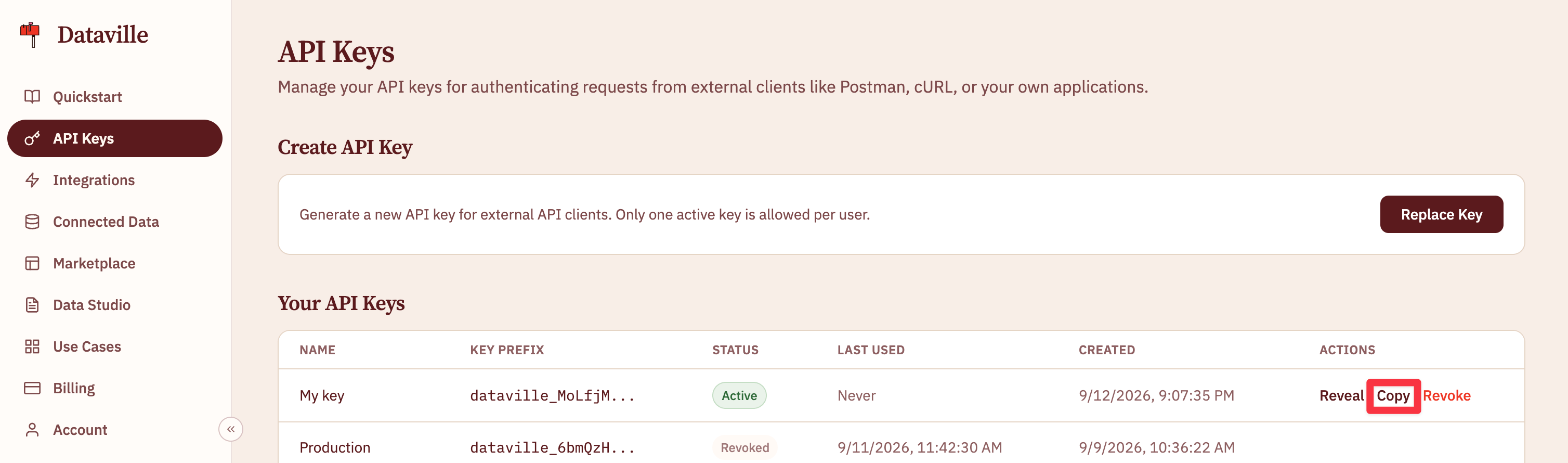
3
Make a request
Search a source by putting its name and your keywords in the path, and send your key in the To learn more about searching data sources, including every parameter and the sources you can pass, see the search a data source API reference.
Authorization header. This request asks the arxiv source for a paper by its arXiv id:4
Read the response
Dataville’s API will return the most relevant result from your selected data source. Every source returns data in the same format, so the code you write to read it works for all of them.The
data.body field contains the entire result’s body and can be passed straight into models. Structured metadata specific to each source is accessible through data.metadata.Next steps
Now you’ve queried Dataville’s API, you’re ready to integrate it into your workflows.Data sources
Find the source that has what you need.
Connect an AI tool
Search every source from Claude, Cursor, Windsurf, or VS Code.
Export datasets
Download a whole source instead of one record at a time.
Monitor SEC filings for a watchlist
A script that checks companies for new filings every weekday morning.