
Choosing a format
All three formats contain the same rows and columns. Which one to pick comes down to what you plan to open the file with, and whether you want to download it at all.- CSV opens anywhere and is the largest of the three.
- Parquet is compressed and keeps column types, so it loads straight into DuckDB, pandas, Polars, or Spark. It is also the only format you can query over HTTP without downloading. See Reading Parquet without downloading.
- A DuckDB database is a single
.dbfile with one table per source, ready to open in DuckDB.
Downloading from the dashboard
Data Studio has a download button for each source in each format, and one for the complete database. Each source also has a ready-made curl command and DuckDB snippet you can copy.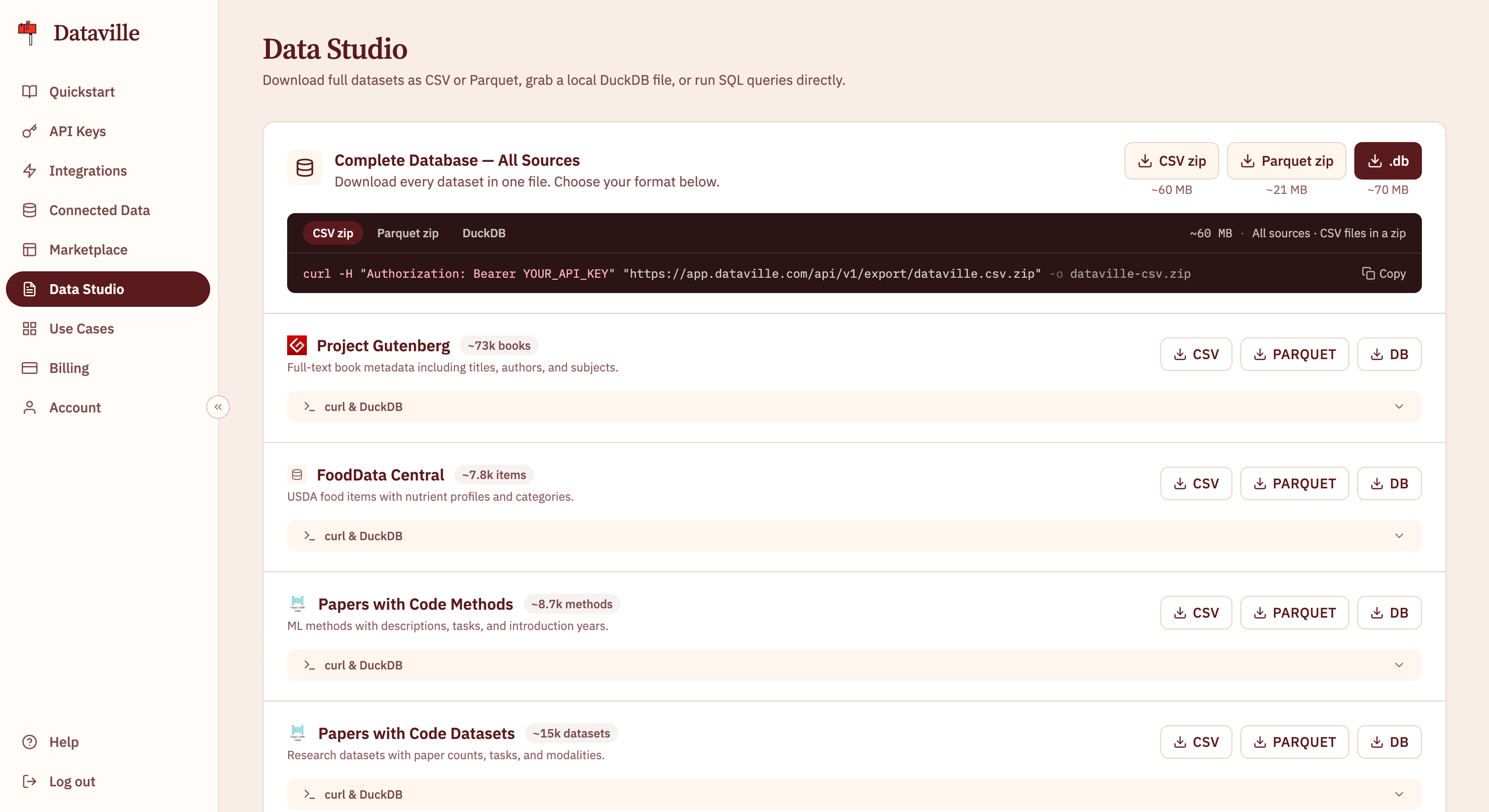
Downloading from the API
The export endpoints take your API key and return the file directly. If you don’t know a source’s export name, start with the list.List available exports
Every exportable source and its download URLs, with no key needed.
Download one source
One source as CSV, Parquet, or a DuckDB database.
Download every dataset
The whole catalog as one DuckDB database.
Reading Parquet without downloading
You can point DuckDB at a source’s Parquet URL and query it as if the file were on disk. Nothing is downloaded up front. DuckDB fetches only the parts of the file a query touches, so a query that reads three columns from a large source transfers a fraction of it. The data is always the current export, with no file to refresh. And the query runs in your own DuckDB, so you can join Dataville’s data against tables that never leave your machine, such as your own prices or customer lists. To keep your API key out of the URL, store it in a DuckDB HTTP secret withBEARER_TOKEN, and DuckDB sends it in a header. You can also pass it as the token query parameter. See Passing the key as a query parameter for the URL shape. For a worked example, see the guide Build a sector dataset in DuckDB from filings and your own notes.
Each HTTP request DuckDB makes counts as one request. A query over a remote file makes at least three: one for the file’s size and at least two for its contents. For a small source that you’ll query more than once, SET force_download = true fetches the whole file in one request.
Reading a download’s columns
Each table has one row per record and the columns you see in Data Studio’s schema explorer. Tables for sources Dataville fetches on demand hold only the records a lookup has already fetched, so they are smaller than the source itself. Here are the first rows of theedgar export, with the body and index_url cells shortened to fit.
A download that fails before it completes is refunded. Export routes are limited to 1,000 per day per account. See Usage limits.